Visitor tools
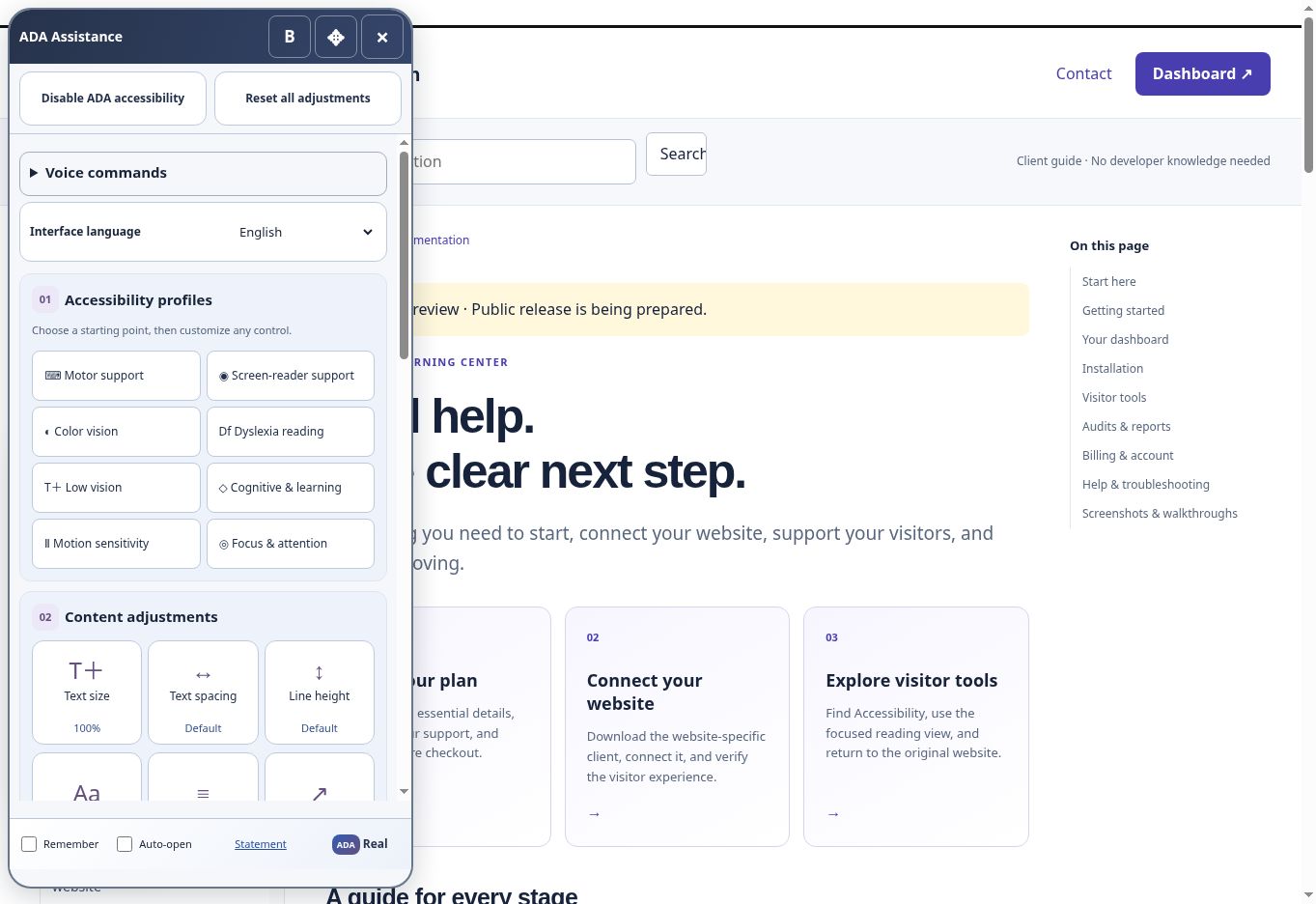
Choose an accessibility profile
Use a preset as a starting point, then adjust the controls for your own needs.
Profiles are starting points
A profile applies a useful starting combination of visitor adjustments. It does not diagnose a condition or determine what a person needs. Two people with the same named need may prefer different settings. Choose the profile that helps your current task, then customize individual controls.
Available profiles
- Motor support: a starting point for supported navigation and interaction preferences.
- Screen-reader support: a starting point for the available reading and orientation experience.
- Color vision: a starting point for available visual color and contrast preferences.
- Dyslexia reading and Low vision: starting points for supported text and readability adjustments.
- Cognitive & learning, Motion sensitivity, and Focus & attention: starting points for available presentation, motion, and orientation controls.
Apply and customize
- Open ADA Assistance and find Accessibility profiles in the Hub.
- Choose one profile and review what changed.
- Use text, spacing, contrast, focus, or other offered controls to refine the result.
- Test the page section or task you wanted to complete.
- Reset all adjustments if you want to begin again.
When an adjustment is not enough
A profile cannot repair every underlying page barrier or make every third-party interaction accessible. Use the return or disable controls if you prefer the original experience. Report an unresolved task to the website owner or ADAR with the page and steps, without sharing sensitive details.
Screenshots and guided walkthroughs
These materials use the public demonstration or a safe admin preview. Sample details, screen layouts, and displayed prices can differ from your own account. Your live checkout quote and confirmation control your subscription.