Help & troubleshooting
Contact ADAR and report an issue
Reach the team with a clear task, safe evidence, and enough detail to reproduce the problem.
Open the contact form
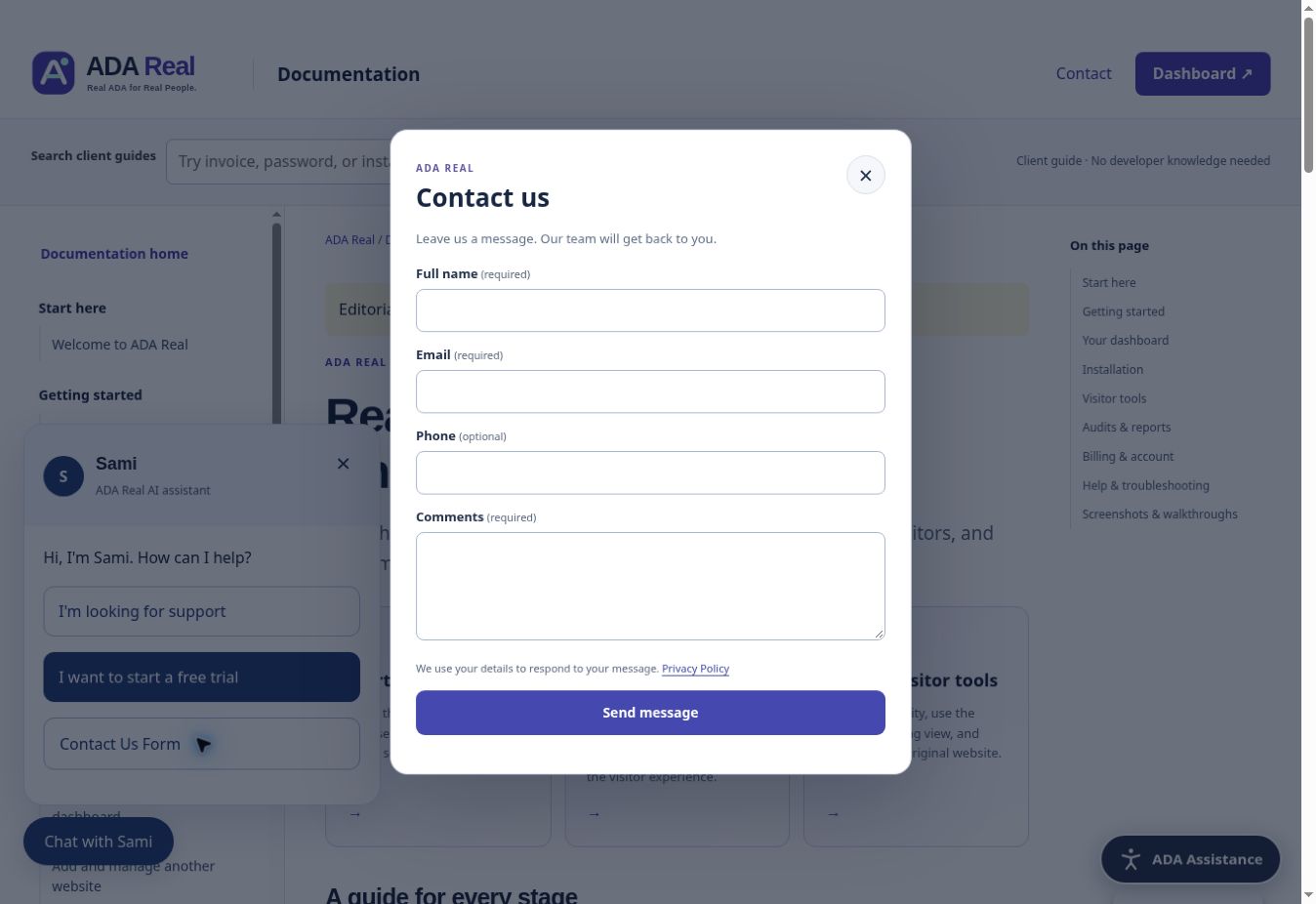
On ADA Real, open Chat with Sami and choose Contact Us Form, or visit the Contact page. Enter full name, email, optional phone, and comments. Submit once and read the form’s confirmation or error. The form provides a way to request help; it does not itself change your subscription or payment method.
Include the essentials
- Your account email and public website address.
- The exact affected page and what you were trying to do.
- Expected result and what actually happened.
- Browser/device and, for assistive technology, the tool and version if known.
- Approximate date/time, visible error, and recent website changes.
- A screenshot or short recording with private details removed.
For billing or checkout
Say whether this is a trial, a completed charge, a pending checkout, a cancellation question, or a missing invoice. Include a safe reference if available. Do not send card numbers, security codes, bank passwords, or email verification codes. Wait for the existing checkout to be checked before paying again.
For an accessibility barrier
Describe the task and steps, not only “it is not accessible.” Explain whether you were using the original page, reading view, keyboard, screen reader, audio, translation, image text, or a PDF. Include the exact point where you could not continue and whether an alternative method worked.
After sending
Keep the message details and watch the reply inbox you provided. The team may ask for a controlled test or appropriate website access through an approved process. Response and engineering work follow the agreed support scope; this guide does not promise a response time that is not in your agreement.
Screenshots and guided walkthroughs
These materials use the public demonstration or a safe admin preview. Sample details, screen layouts, and displayed prices can differ from your own account. Your live checkout quote and confirmation control your subscription.
Read the video transcript
Captioned visual walkthrough from a safe preview. No narration audio.
1. 1 · Open Chat with Sami
On ADA Real, open Chat with Sami. Choose Contact Us Form from the quick choices.
2. 2 · Tell us how to reply
Enter your full name and email. Phone is optional. Describe your website and what you need in Comments.
3. 3 · Include useful, safe details
For an issue, include the page, task, device or browser, and visible error. Do not share passwords, verification codes, or card details.
4. 4 · Submit once and read the result
Select Send message and check the form confirmation. This walkthrough does not submit a message. You can also use the Contact page.